Settings
The Settings area is where you manage your organization's company account centrally: company information, users and workspaces, extensions, billing, and legal matters. The settings are only visible to administrators and owners. Members are automatically redirected to the dashboard.
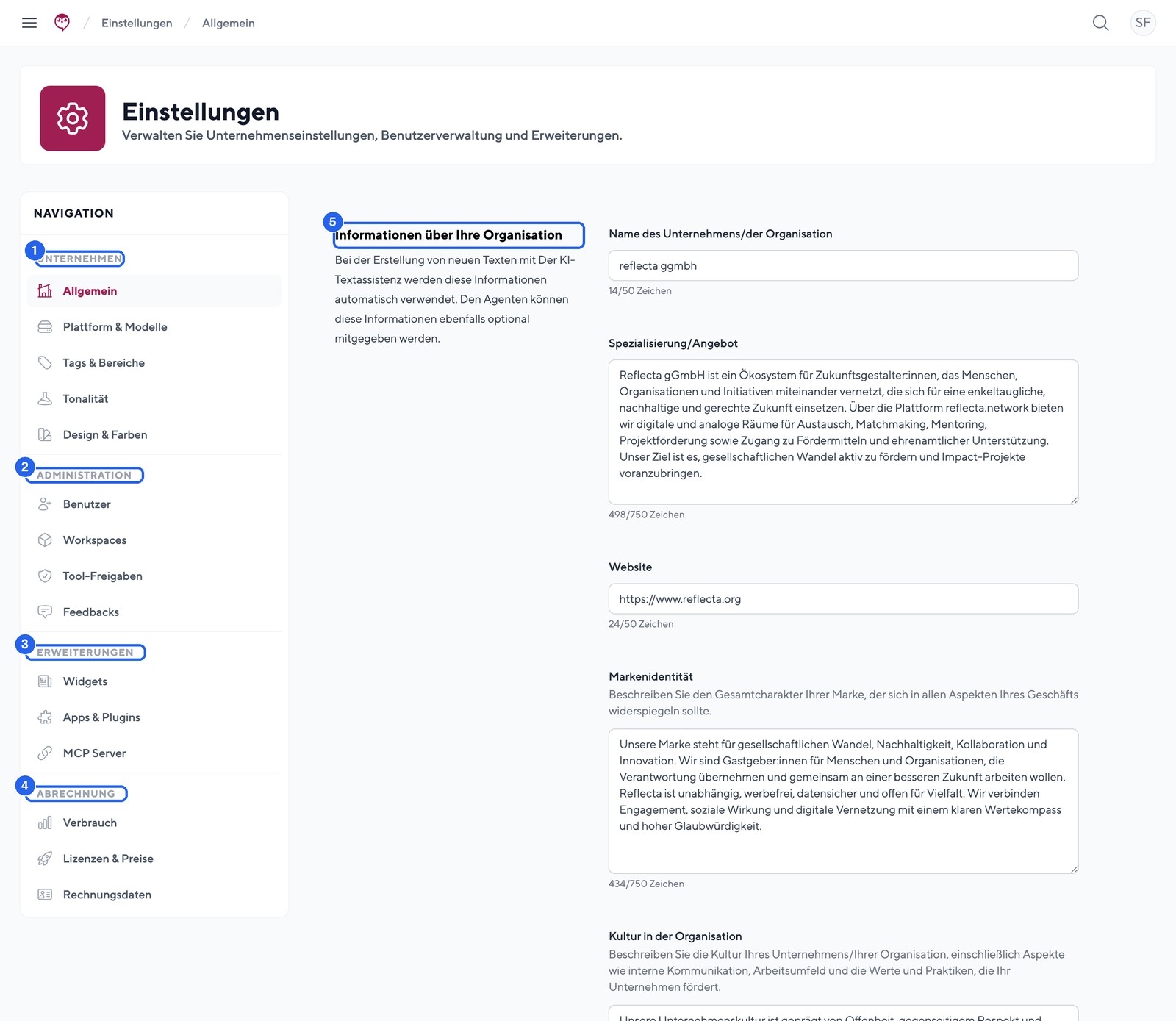
- Group Company: General, Platform & Models, Tags & Sections, Tonality, Theme & Design
- Group Administration: Users, Workspaces, Tool approvals, Feedbacks
- Group Extensions: Widgets, Apps & Plugins, MCP Servers
- Group Billing: Usage, Licences & prices, Billing details
- Active tab General with the form Information about your organization
Opening the settings
- Click your name at the bottom left of the sidebar.
- Select Settings.
The areas at a glance
| Group | Tabs | What for? |
|---|---|---|
| Company | General, Platform & Models, Tags & Sections, Tonality, Theme & Design | Company information as AI context, AI platform and default image model, tags and categories, writing style, branding |
| Administration | Users, Workspaces, Tool approvals, Feedbacks | Invite and manage your team, structure work areas, protect sensitive tools, review user feedback |
| Extensions | Widgets, Apps & Plugins, MCP Servers | Dashboard widgets, additional apps, external integrations |
| Billing | Usage, Licences & prices, Billing details | Cost overview, adjust licences (owner), billing address (owner) |
| Legal | Terms of use or Contracts | Contractual basis, depending on customer type |
Details on the individual tabs can be found in the linked articles below.
Personal settings
Not everything lives in the account settings: individual options such as the AI profile, memories, scheduled tasks, or API tokens are available to all users (including members) in the same user menu under the entry Personal. Read more in the article Personal Settings.
Related articles
- General settings: company information
- Platform & Models
- Tonality & language
- Theme & Design
- Inviting and managing users
- Workspaces
- Roles & permissions
- Tool approvals
- Reviewing feedback
- Widgets guide
- Custom domain
- Single sign-on (SSO)
- MCP servers & external integrations
- MCP access tokens
- Billing and licences
Tip: After your first login, start with the Company group: well-maintained company information and tonality rules immediately improve the quality of all AI answers in your account.
Was this page helpful?